How to rank in AI Overviews: what we changed on our own site
In short
To rank in AI Overviews, a page has to be indexed and allowed to show a snippet in Google Search. Google says there is no extra requirement beyond that. What helps is plain SEO done well: crawl access, a direct answer at the top of the page, internal links and schema that matches the visible text.
Seeing this on your own site? Send us the address for a free site check, and a written report comes back within 2 business days.
Key points
- Google's guide "AI features and your website" (last updated 10 Dec 2025) says there are no extra technical requirements for AI Overviews beyond being indexed and snippet eligible.
- The same guide says you need no AI text file and no special schema to appear, and it does not promise a place to any page.
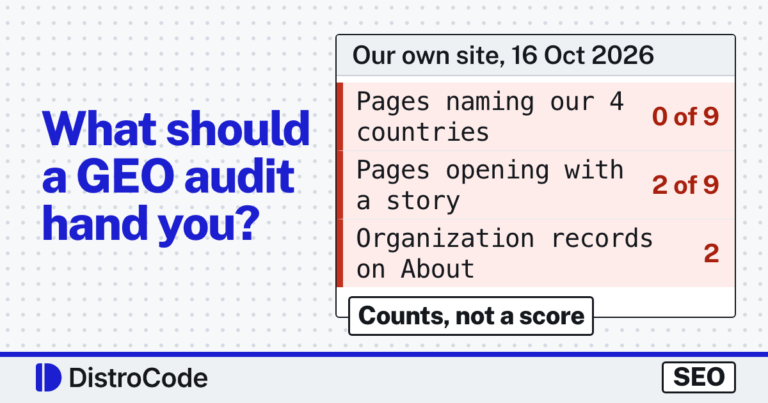
- Our 16 Oct 2026 audit of distrocode.com found four gaps. A story stood before the answer, the schema named one country, the About page held two company records, and llms.txt was broken.
- By 18 Oct all four were fixed, and a live read of the site that morning confirmed each one.
On this page (10)
- How to rank in AI Overviews: what does Google require?
- What did we change on our own site between 16 and 18 Oct?
- Can Googlebot crawl the page you want quoted?
- Does the page answer the question in its first lines?
- Which schema helps an AI Overview understand a business?
- Does llms.txt help you rank in AI Overviews?
- How do you check whether you appear?
- What should you fix first?
- Want a second pair of eyes on your site?
- Questions and answers
Google’s official advice on how to rank in AI Overviews is shorter than most guides on the subject. On 16 Oct 2026 we audited our own site, distrocode.com, against it and found four problems. By 18 Oct we had fixed them, and a read of the live site that morning confirmed each fix.
This post walks through each one, because they are the same problems we find on other sites.
If you would rather have someone check your site for you, our SEO and AI search fixes start with a free written site check.
How to rank in AI Overviews: what does Google require?
Google decides, and it promises nothing. Its guide states that a page must be indexed and “eligible to be shown in Google Search with a snippet” to appear as a supporting link. It adds that meeting every requirement still “doesn’t mean that Google will crawl, index, or serve its content.”
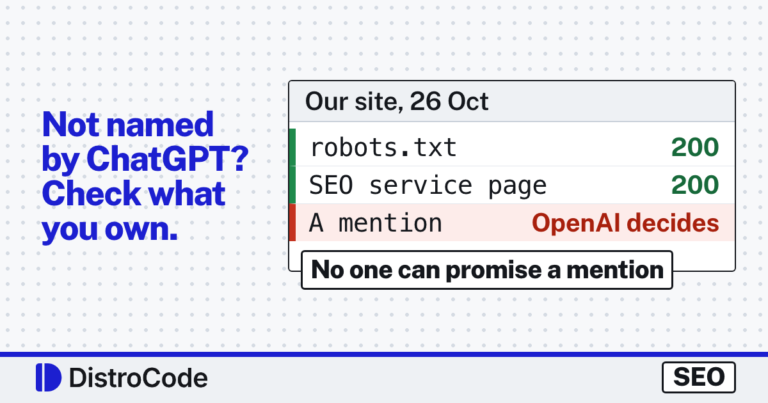
So anyone who guarantees a spot in an AI Overview is promising something Google itself will not. What you can control is whether your page is a fair candidate: readable, indexed and clear about what it answers.
The guide lists the fundamentals it still counts as worthwhile. Crawling allowed in robots.txt and by your CDN or host. Internal links so pages can be found. Important content in text, not only in images. Structured data that matches the visible page. An up-to-date Business Profile.
What did we change on our own site between 16 and 18 Oct?
Four things. Our audit of 16 Oct found them, and we read each one back from the live site on 18 Oct.
| What we checked | 16 Oct 2026 | 18 Oct 2026 |
|---|---|---|
| WordPress maintenance page, first paragraph | Two forum post titles about a broken update | “DistroCode looks after WordPress and WooCommerce sites and fixes them when they break.” |
| Countries in the Service schema | areaServed “US” only | United States, Canada, Australia, New Zealand |
| Company records on the About page | Two, one @id, names “DistroCode” and “DistroCode LLC” | One, typed Organization and ProfessionalService |
| First line of llms.txt | # DistroCode: Full\-Stack Web, SEO \& AI Development for Modern Businesses | # DistroCode |
Crawl access was the one thing already right. The sections below take each check in the order we would run it on any site.
Can Googlebot crawl the page you want quoted?
Check this first, because nothing else matters if the answer is no. Open yoursite.com/robots.txt in a browser and look for a Disallow: line under User-agent: * or User-agent: Googlebot.
Ours, read on 18 Oct 2026, is the default Yoast block: User-agent: * followed by an empty Disallow:, then the sitemap line. An empty Disallow blocks nothing. That is what you want.
Google’s guide also says robots.txt rules for Googlebot are the control for how AI features in Search use your site. There is no separate switch for AI Overviews. If you block Googlebot, you leave Search and its AI answers together.
On WordPress, the other common block is one checkbox. We tested what it changes in what the WordPress “Discourage search engines” box does.
Does the page answer the question in its first lines?
This was our biggest miss. On 16 Oct 2026, our WordPress maintenance page opened with a story: two forum post titles about a WordPress update that broke sites. The page did not say what we do until the story was over.
A reader skims past a story to find the answer. So does any system that pulls a short answer from the page. Our 16 Oct audit flagged it, along with our migration page, which opened on a test we ran on 10 Oct.
By 18 Oct the maintenance page led with what we do: we look after WordPress and WooCommerce sites, fix them when they break, start every job from a backup or staging copy, and write a note at the end. The forum story moved to the second paragraph. It still earns its place there. It just stopped standing in front of the answer.
The test we use now is simple. Read only the first two sentences under the H1. Do they answer the question the page title asks? If not, move the answer up.
Which schema helps an AI Overview understand a business?
None is required, and Google says so directly: there is “no special schema.org structured data that you need to add.” What the guide does ask is that your structured data match the visible text.
Ours did not, in two ways. On 16 Oct every Service record on our site said it served “US” only, while we work for clients in the United States, Canada, Australia and New Zealand. And the About page printed a second Organization record with the same ID as the sitewide one but a different name. Two records for one company, disagreeing about its name.
On 18 Oct we read the live schema again. The About page now carries one record, typed as both Organization and ProfessionalService, with all four countries in areaServed. The WordPress maintenance page’s Service record lists the same four. The page text names them too, so the markup and the words agree.
That agreement is the point. Schema that says one thing while the page says another gives a parser two answers to pick from. Putting the two back in step, along with crawl rules and answer-first openings, is the work our SEO and AI search fixes do on client sites.
Does llms.txt help you rank in AI Overviews?
Not in Google, by Google’s own account. The guide says you do not need “new machine readable files, AI text files, or markup” to appear in its AI features.
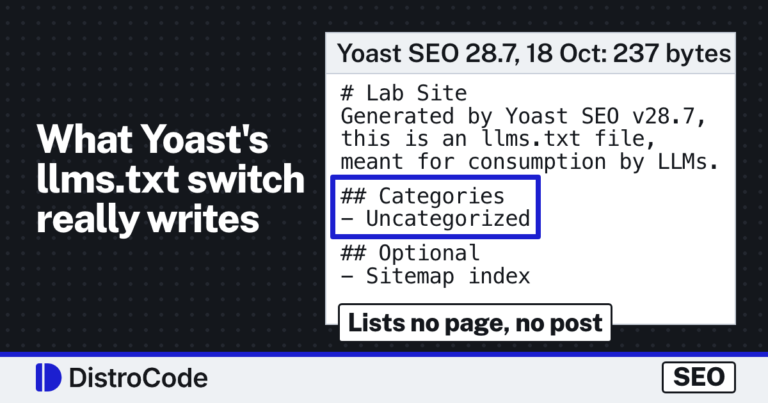
We fixed ours anyway, for a different reason. On 16 Oct our llms.txt was broken markdown: full stops, dashes and ampersands carried a backslash, so “Full-Stack” read as Full\-Stack. It also named no service area and no contact. If a file speaks for the business, it should say true things in readable text.
The 18 Oct version is plain text. It lists our services, the four countries, the email address and the reply time. Treat it as a tidy summary of your site, not as a ranking factor.
How do you check whether you appear?
Search the questions your buyers ask, in a private browser window, and note whether an AI Overview shows up and which sites it links. Write down the date, because the answers change.
Then open Search Console. Google’s guide says sites shown in AI Overviews and AI Mode are counted in the overall search traffic in the Performance report, under the “Web” search type. So watch the pages you fixed and compare their clicks and impressions before and after.
Keep the test small and repeatable: the same 10 to 20 questions, typed the same way, on a set day each month.
What should you fix first?
Fix in the order that can lock you out:
- Crawl access: robots.txt, the WordPress search visibility setting, any CDN bot rule.
- Indexing: the page shows in Search Console as indexed.
- The opening: the answer in the first two sentences under the H1.
- Agreement: schema, page text and your Business Profile say the same name, services and area.
Want a second pair of eyes on your site?
Ask for a free site check. It is a written report within 2 business days, with no call and no login. If you already know you want the fixes done, tell us which pages should answer which questions.
Where did these facts come from?
- Google Search Central, AI features and your website (last updated 10 Dec 2025), checked Oct 18, 2026
- distrocode.com robots.txt, read live (the Yoast block, User-agent * with an empty Disallow, and the sitemap line), checked Oct 18, 2026
- distrocode.com llms.txt, read live; the 16 Oct copy is in our own site audit of that day (item 6), checked Oct 18, 2026
- distrocode.com WordPress maintenance page, opening paragraphs and JSON-LD read live; the 16 Oct state is in the same audit (items 1 and 4), checked Oct 18, 2026
- distrocode.com About page, JSON-LD read live; the 16 Oct state is in the same audit (item 2), checked Oct 18, 2026
- distrocode.com free site check page (written report within 2 business days, no call, no login), checked Oct 18, 2026
Questions and answers
Is there a special way to optimize for AI Overviews?
No. Google's guide says there are no additional requirements and no special optimizations. Being indexed and eligible for a snippet is the technical bar; ordinary SEO is the rest.
Do I need llms.txt to appear in AI Overviews?
No. Google says you do not need AI text files or new markup to appear in its AI features. A clean llms.txt does no harm, but it is not how Google picks sources.
Can I stop my content from showing in AI Overviews?
Yes, with the same controls as Search, per Google's guide. Use nosnippet, data-nosnippet, max-snippet or noindex. Blocking Googlebot in robots.txt stops crawling for Search as a whole, not only its AI features.
How long until changes show up?
Google gives no fixed time. Its guide says crawling can take anywhere from several days to several months, and that you can request a recrawl. URL Inspection in Search Console is where you ask for one page.
Where does Search Console count AI Overview clicks?
In the Performance report, under the "Web" search type, together with the rest of your search traffic, per Google's guide.
Still stuck? Send us the page address and what you see Want to know if the problem stops here? Ask for the free site check.
We write up one real fix or build a few times a week. Follow DistroCode on LinkedIn