Monthly WordPress maintenance checklist: 8 checks for once a month
In short
Monthly WordPress maintenance covers what weekly updates miss. Once a month, restore a backup to a copy, read Site Health, confirm background updates and scheduled tasks still run, check that debug.log is not public, find plugins their authors stopped updating, test your forms and checkout, and write down what changed.
Seeing this on your own site? Send us the address for a free site check, and a written report comes back within 2 business days.
Key points
- Weekly updates keep the code current. The monthly checks catch the things that fail without telling anyone.
- In our 13 Oct 2026 lab, adding AUTOMATIC_UPDATER_DISABLED to wp-config.php, with three debug lines, turned off every automatic update. Site Health said so.
- In the same lab, a request for /wp-content/debug.log answered 200 and showed the logged line to anyone who asked.
- On 11 Oct 2026 a post scheduled on our test store read "Missed schedule" until something requested wp-cron.php.
On this page (5)
Monthly WordPress maintenance is the layer that sits on top of your updates. Updates keep the code current. The monthly checks find what stopped working quietly: a backup nobody has restored, a scheduled task that never ran, a log file anyone can read.
Our WordPress care plan covers five things: weekly updates, a daily backup, an uptime watch, a security scan and a written note each month. Each check below names what we saw when we tried it in our lab in October 2026.
What is the difference between weekly and monthly WordPress maintenance?
Weekly work is updates. Before each one, we follow our WordPress update checklist of 7 checks before you click Update.
Monthly work is checking the things updates do not touch. None of them throws an error on the home page.
What goes on a monthly WordPress maintenance checklist?
Eight checks, in the order we would run them.
1. Can you restore last week’s backup?
Pick one backup and restore it to a staging copy, not the live site, then log in to the copy. A backup file proves the backup ran. A restore proves you can use it.
2. What does Site Health say this month?
Open Tools, then Site Health, and read the critical items first.
On a fresh WordPress 7.1.3 install on 13 Oct 2026, our lab showed 1 critical issue, 8 recommended and 18 good. Write the counts down each month.
3. Are background updates still running?
In the same lab we added AUTOMATIC_UPDATER_DISABLED to wp-config.php, together with three debug lines. Site Health then said “All automatic updates are disabled”.
Updates stop arriving without a word unless someone reads that screen. When we removed the four lines, Site Health went back to “Background updates are working”.
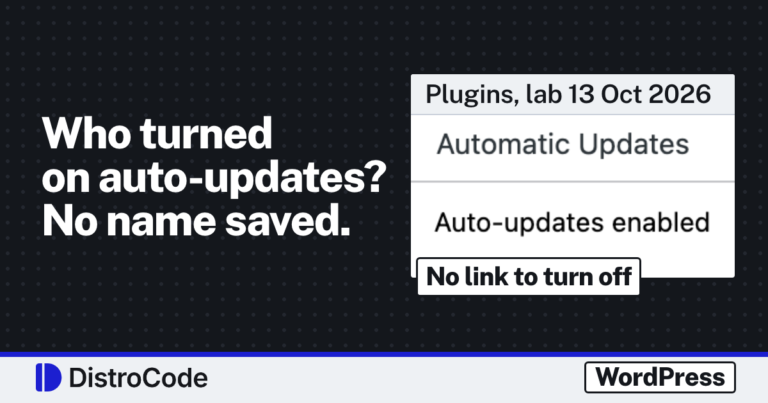
While you are there, list which plugins update themselves. When we turned on auto-updates for one plugin in our lab, WordPress saved the change in one database row, with no user and no time. Our post on who turned on plugin auto-updates shows the row.
4. Is your debug.log readable by strangers?
Request yoursite.com/wp-content/debug.log in a private browser window. You want a 403 or a 404.
In our 13 Oct lab, with debug logging on, that address answered 200 and showed the logged line in plain text. Site Health’s own description warns that debug output “may contain sensitive information”. Our post on Site Health critical issues covers how to switch the log off or move it.
5. Did your scheduled tasks actually run?
WordPress runs scheduled posts through WP-Cron, and many backup and plugin jobs use it too. WP-Cron waits for a request to fire.
On 11 Oct 2026 we scheduled a post on our test store for 2:38 PM UTC and sent no requests. At 2:43 the Posts screen read “Missed schedule”. It went live at 2:47, only after we requested wp-cron.php directly. Once a month, check that last night’s backup and your last scheduled post ran at the time set. Our WP-Cron missed schedule post has the server cron fix.
6. Has any plugin’s author stopped updating it?
Open each plugin’s page on WordPress.org and read the “Last updated” date. A plugin with no release in a year, on a site that updates WordPress every few weeks, is a risk to plan for.
Do not rip it out in a hurry. Test a replacement on a copy first.
7. Do your forms and checkout still work?
Send your contact form to yourself and confirm the email arrives. On a WooCommerce store, place a test order on a copy and watch it reach Orders.
8. Have you written the month down?
Note what was updated, with old and new version numbers, what you held back and why, the date of the last good restore, and anything that needs a decision.
What does our care plan do each month?
Our care plan covers five things: weekly updates, a daily backup, an uptime watch, a security scan and a monthly note. The plan does not include a test restore, a debug.log check or a forms test. We run updates weekly on a staging copy before the live site, keep the daily backup for 30 days outside your hosting account, watch uptime, run the security scan and send the note at the end of the month. It is $99 a month, or $229 for a WooCommerce store, where we add a test order after every update. Both run month to month.
Hacked site cleanup is not in the plan price; it is quoted as a separate job.
If you are comparing plans, our post on how much WordPress maintenance costs a month lists what four other firms charged on 18 Oct 2026 and what each price covered.
Want someone to run these checks for you?
Ask about a care plan. Tell us what the site runs on and what it does for the business, and we reply in writing within one working day.
Not sure where the site stands? Ask for a free site check and get a written report within 2 business days.
Where did these facts come from?
- DistroCode, WordPress maintenance and support (care plan $99 a month, store plan $229 a month, the five things both plans cover), checked Oct 19, 2026
- DistroCode lab, WordPress Site Health critical issues (WordPress 7.1.3, 13 Oct 2026; updater off, debug.log over HTTP), checked Oct 19, 2026
- DistroCode lab, WordPress missed schedule and WP-Cron (WordPress 7.1.2 test store, 11 Oct 2026), checked Oct 19, 2026
- DistroCode lab, WordPress plugin auto-updates (WordPress 7.1.3, 13 Oct 2026; one row changed, no user or time recorded), checked Oct 19, 2026
- DistroCode, WordPress update checklist (7 checks before an update, from our 13 Oct 2026 lab), checked Oct 19, 2026
Questions and answers
What is included in monthly WordPress maintenance?
Updates, backups and checks. Our care plan runs updates weekly on a copy first, takes a daily backup kept 30 days outside your hosting account, watches uptime, runs a security scan and sends a written note each month. It is $99 a month, or $229 for a WooCommerce store.
Is Site Health enough to check a WordPress site?
No. It is a good start, and in our lab it said when automatic updates were off. It does not restore a backup, submit your forms or place an order.
Can I do monthly WordPress maintenance myself?
Yes. The eight checks here need admin access and file access by SFTP or your host's file manager.
Rather hand this to us? See the WordPress maintenance plan Want to know if the problem stops here? Ask for the free site check.
We write up one real fix or build a few times a week. Follow DistroCode on LinkedIn