WordPress site broken after update? What the screen tells you broke
In short
When a WordPress site breaks after an update, read the screen before you touch anything. A critical error means a plugin or theme crashed PHP. "Briefly unavailable for scheduled maintenance" means a stuck .maintenance file. "Updating failed" in the editor often means the post saved anyway. Each one has a different fix.
Seeing this on your own site? Send us the address for a free site check, and a written report comes back within 2 business days.
Key points
- In our lab a crash on the home page alone sent no email. The "technical issue" email arrived only once the error hit /wp-admin/.
- A plugin that ran out of memory broke the front page with a 500 while the dashboard, on 256 MB, still loaded.
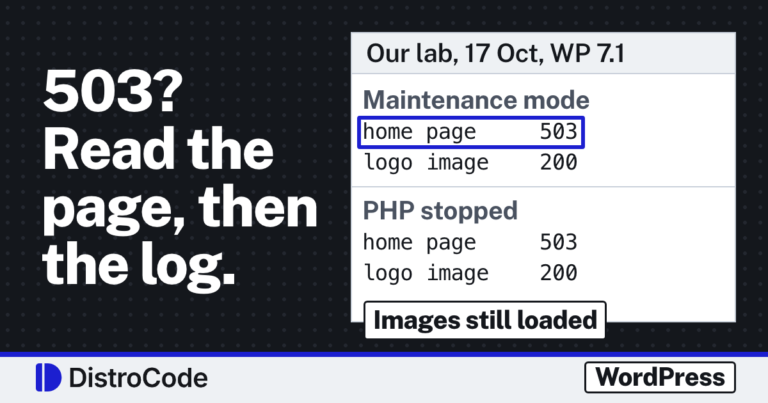
- A stuck .maintenance file returned 503 on every address we tried, the login page included, so you need file access to clear it.
- At 610 seconds old the .maintenance file was still on disk and the site loaded normally again.
- An editor that says "Updating failed" after an update can still be saving every post.
On this page (10)
- Why is your WordPress site broken after an update?
- What does “There has been a critical error on this website” mean?
- Why does the dashboard work when the site does not?
- Will WordPress email you about the crash?
- How do you fix the critical error without the email?
- What does “Briefly unavailable for scheduled maintenance” mean?
- What if the site loads but the editor says “Updating failed”?
- How do you stop the next update breaking the site?
- What should you do right now?
- Questions and answers
Why is your WordPress site broken after an update?
When a WordPress site is broken after an update, the message on the screen is your best clue. In our lab each kind of failure left a different one, and each one pointed to a different fix.
Between 11 and 13 Oct 2026 we broke WordPress 7.1 test sites on purpose and wrote each fault up. This page sorts those runs by what you would actually see. Find your screen below and start there.
Don’t restore a backup yet. A restore undoes every update that worked along with the one that didn’t, and two of the three screens below take minutes to clear.
What does “There has been a critical error on this website” mean?
It means PHP stopped with a fatal error, almost always inside a plugin or theme that just changed. WordPress catches the crash and shows that one line in place of the page.
In our lab two different faults gave the same line. On 11 Oct a test plugin called a function that did not exist. On 13 Oct a plugin pushed a request past the memory limit. The screen does not tell you which one you have.
On sites under our WordPress care plan, updates are tested on a copy first so a crash like this never reaches visitors. It is also the fault where the dashboard can mislead you.
Why does the dashboard work when the site does not?
Because the two sides run on different memory limits. On our 13 Oct test site, public pages had 128 MB to work with and wp-admin had twice that.
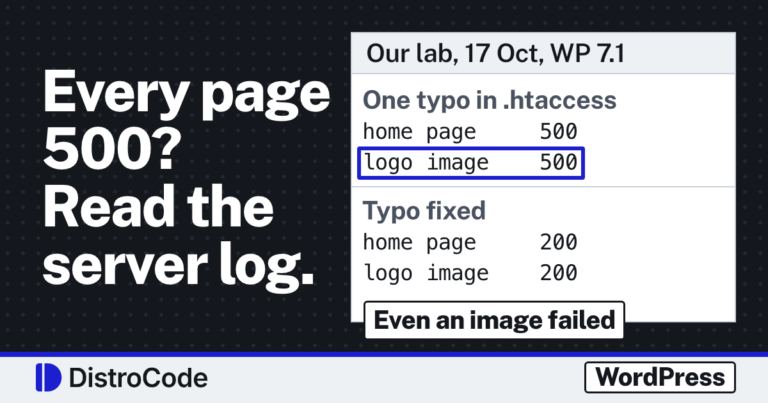
A plugin that needed 150 MB broke the front page with a 500 error. Logged in, wp-admin loaded with a 200 and looked healthy. An owner who checks only the dashboard after an update walks away thinking all is well. We walk through the whole run in why WordPress runs out of memory while the dashboard works.
So open the home page in a private window, where WordPress treats you as a visitor.
Will WordPress email you about the crash?
Sometimes, and later than you would hope. In our 11 Oct lab a crash on the home page alone sent nothing.
The email, subject “Your Site is Experiencing a Technical Issue”, went out only once the same error hit /wp-admin/. A second crash moments later, on the login page, sent nothing new. It goes to the Administration Email Address under Settings, General, which on some sites is an inbox nobody reads.
When it does arrive, it names the plugin and holds a recovery mode link. That link pauses the plugin for you alone. What the email says, line by line, is in the WordPress “technical issue” email.
How do you fix the critical error without the email?
Switch off the plugin that changed last. If Plugins still opens in the dashboard, deactivate it there, then reload the front page in that private window.
If you cannot log in, use SFTP or your host’s file manager. Rename that plugin’s folder in wp-content/plugins, and WordPress stops loading it. The WordPress guide to common errors describes the same FTP rename, there for the whole plugins folder (plugins_old).
Once the site is back, find out why it broke before you turn the plugin on again. A memory fault can come back with the next traffic spike. If the updated plugin works alone and fails only next to another one, that is a pair, and finding the two plugins in a WordPress plugin conflict takes a different test order.
What does “Briefly unavailable for scheduled maintenance” mean?
It means the updater began its work, wrote a small file named .maintenance next to wp-config.php, and never got to remove it. Until it goes, WordPress shows that sentence in place of your site.
On our 13 Oct test site every address we requested answered 503 with a Retry-After header of 600 seconds, and that included the login page. No login means no dashboard fix. SFTP or the host’s file manager is the way in.
The detail that surprised us: at 610 seconds old the file was still on disk, and the site loaded normally again. WordPress ignores the file after 10 minutes. That can make a stuck update look fixed when it never finished. The test is written up in why WordPress gets stuck in maintenance mode.
So delete the file, then go to Dashboard, Updates and run the update that failed again.
What if the site loads but the editor says “Updating failed”?
Open the Posts list before you touch the editor again. On our test site one line of HTML, printed by a plugin, turned every save into “Updating failed. The response is not a valid JSON response.”
The notice was wrong each time: the content had been stored. A plugin update that starts printing a notice or a stray tag can cause it. People then click save again, or retype edits that were already published. A firewall that blocks the save gives the same message and saves nothing, so check the Posts list first. The lab table is in what “not a valid JSON response” means in WordPress.
When we fix this for a site, we find the plugin printing output in front of the save reply and switch it off or patch it. The post content does not need restoring.
How do you stop the next update breaking the site?
Update a staging copy before the live site, and keep a backup you have proved you can restore. On the copy, try what a visitor, an editor and a buyer would do: load the front page logged out, save a post, place a test order.
Our WordPress update checklist puts those tests in order, seven checks in all, each tied to a lab result. The Updating WordPress guide on WordPress.org puts the backup first as well.
What should you do right now?
Write down the exact message on screen and which update ran last. Then match it to a section above. Those two facts are what anyone fixing the site will ask for first.
Want us to look instead? Send the site address and the message you saw. We do a free site check and reply within 2 business days with a written report on what broke, why, and the work to fix it. Send us the broken site. A new site fix goes up each day on DistroCode’s LinkedIn Page.
Not sure what is wrong yet? Ask for the free site check: send the site address and we reply in writing within 2 business days. If you already know what to fix, the one-off fixes are listed here.
Where did these facts come from?
- DistroCode lab, WordPress technical issue email (sent only once the error hit /wp-admin/), checked Oct 11, 2026
- DistroCode lab, WordPress memory exhausted (128 MB front end 500, 256 MB admin 200), checked Oct 13, 2026
- DistroCode lab, WordPress stuck in maintenance mode (503 with Retry-After 600, loads at 610 s), checked Oct 13, 2026
- DistroCode lab, WordPress not a valid JSON response (saves that wrote the post), checked Oct 13, 2026
- WordPress Advanced Administration, Common WordPress errors, checked Oct 11, 2026
- WordPress.org, Updating WordPress, checked Oct 15, 2026
Questions and answers
Why is my WordPress site broken after an update but the dashboard works?
WordPress gives the dashboard more memory than the public pages. In our lab the front page ran on 128 MB and returned a 500 with the critical error, while wp-admin ran on 256 MB and loaded. Check the site logged out, in a private window.
Do I get an email when an update breaks my WordPress site?
Not always. In our lab a crash on the home page alone sent nothing. The "Your Site is Experiencing a Technical Issue" email went out once the same error hit /wp-admin/, and a second crash moments later sent nothing new.
How long does WordPress stay in maintenance mode after a failed update?
In our lab every address returned 503 while the .maintenance file was under 600 seconds old. At 610 seconds the site loaded, with the file still on disk. Delete the file anyway, then finish the update.
Should I restore a backup straight away?
Read the screen first. A stuck .maintenance file or an editor notice is fixed in minutes, and a restore would also roll back the updates that worked. Restore when one plugin or theme cannot be switched off.
Rather hand this to us? See the WordPress maintenance plan Want to know if the problem stops here? Ask for the free site check.
We write up one real fix or build a few times a week on LinkedIn. Follow DistroCode there: linkedin.com/company/distrocode