WordPress site hacked: what do you do in the first hour?
In short
Do not start deleting files. Write down what you see and when, take a backup of the hacked site as it is, and call your host. Then reset every password, from WordPress to the database, and log everyone out. Find how they got in before you clean, or it comes back. Cleanup is quoted after a check.
Seeing this on your own site? Send us the address for a free site check, and a written report comes back within 2 business days.
Key points
- Write down the symptoms and the time first. WordPress.org calls it the start of your incident report.
- Back up the infected site before you change anything, so you keep the evidence.
- Reset access everywhere, WordPress, hosting panel, FTP or SFTP and the database, for every user.
- New secret keys in wp-config.php log out anyone still signed in.
- Find the way in before you clean, then update, change the passwords again and ask Google for a review.
On this page (9)
- WordPress site hacked: what do you do in the first hour?
- Step 1: what are you seeing, and since when?
- Step 2: why back up a hacked site?
- Step 3: what should you ask your host?
- Step 4: which passwords do you change?
- Step 5: who has an account on the site?
- Step 6: how did they get in?
- What comes after the first hour?
- Questions and answers
WordPress site hacked: what do you do in the first hour?
If your WordPress site was hacked, slow down and keep the evidence. A hacked site feels urgent, and the urge is to start deleting files. That often destroys what you need to find how they got in.
WordPress.org’s own guide on hacked sites starts the same way, with “Stay calm” and then “Document”. The steps below come from its list, put in the order we work through them in the first hour. Cleaning comes after, and so does the WordPress maintenance that keeps the hole closed.
Step 1: what are you seeing, and since when?
Write it down before you touch anything. WordPress.org asks three questions:
- What are you seeing that makes you think you are hacked?
- What time did you notice it, and in which timezone?
- What changed recently: a new plugin, a theme change, a widget?
It calls this the baseline of your incident report. Whoever cleans the site will ask for it. Add your host’s name and plan.
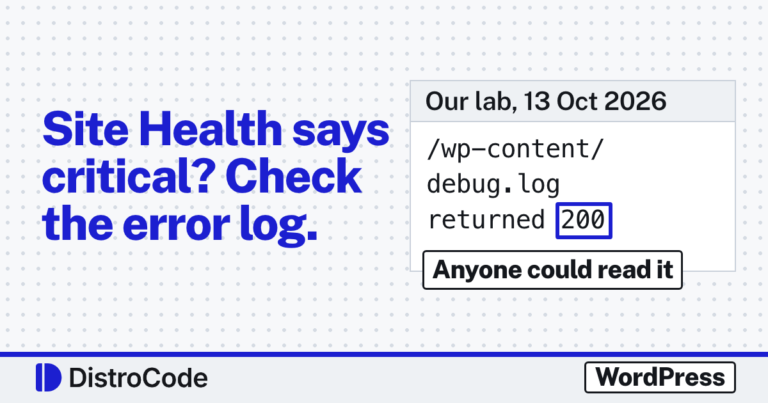
The signs it lists include a Google or Bing warning, a host that disabled the site, new users nobody created, and a hack you can see in the browser. Seeing only a critical error message? Read what the WordPress “technical issue” email means first; that crash has its own fix.
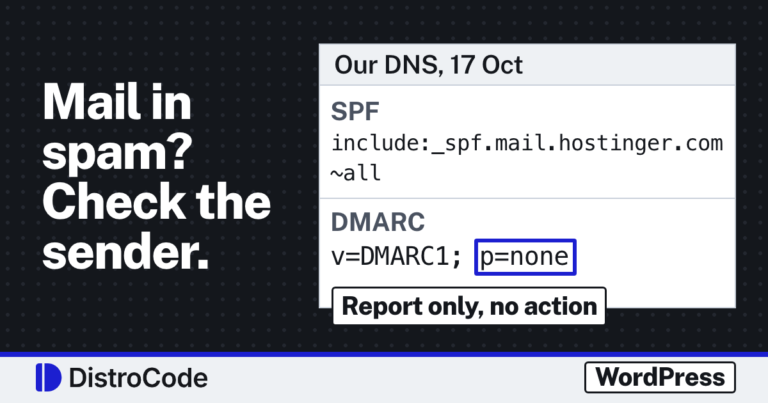
Customers say the site sends them to spam, but it looks fine to you? Our lab test of a WordPress site redirecting to spam shows why a logged-in owner never sees it.
Step 2: why back up a hacked site?
Because the infected copy is evidence. WordPress.org recommends one more snapshot of the environment before cleaning, “Even if it’s infected”, so you have that copy to refer to if the cleanup goes wrong.
Take files and database together. Keep any clean backup from before the hack apart from the new one, and date both.
Step 3: what should you ask your host?
Ask whether they see it too, and what they are doing about it. WordPress.org points out that on shared hosting a hack can reach more than your site, and that the host may be able to tell a real hack from an outage.
Ask about their backups as well: how far back they go and whether a restore is possible. We do not restore yet: a site restored with the hole still open gets hacked again.
Step 4: which passwords do you change?
All of them. WordPress.org lists the access points: FTP or SFTP, wp-admin, cPanel or whatever hosting panel you use, and MySQL. It also says this covers every user with access, not only you.
Then log everyone out. The guide’s method is to create new secret keys with the WordPress key generator and paste them over the old ones in wp-config.php. Anyone still signed in, including the attacker, is forced out.
Step 5: who has an account on the site?
Open Users, All Users, and look at every Administrator. Any name you do not recognize is a sign of a hack.
Then open Settings, General. Check whether Anyone can register is ticked and what New User Default Role says. If strangers can register and the default role is high, nobody had to break in to get an account. Check that the WordPress Address and Site Address there still show your domain; a changed address can lock you out of wp-admin.
Step 6: how did they get in?
This step decides whether the hack comes back. WordPress.org calls it forensics: “How did the attackers get in?” Our cleanup starts here. We look first for an old plugin or theme, a reused password or a forgotten admin account, and close that way in before cleaning.
The guide’s cleaning rules are worth knowing now:
- Replace /wp-admin and /wp-includes with fresh copies of the same WordPress version, uploaded over SFTP. Not the reinstall button in the dashboard, which can leave added files behind.
- Look at .htaccess first, then index.php, header.php, footer.php and functions.php.
- Once clean, update WordPress, and change every password again.
What comes after the first hour?
If Google shows a warning on your site, fix every page and then select Request Review in the Security Issues report in Search Console. Google says the review “can take from a few days to a few weeks”, and that fixing some pages earns no partial return.
After that, the site needs someone watching it: updates tested on a copy first, a daily backup kept outside the host, and a security scan. That is what our WordPress maintenance plan covers.
Want us to clean it up? Send us the site address and what you or your visitors see. Cleanup is quoted after a check. Prices in US dollars; you pay a Stripe invoice.
Not sure what is wrong yet? Ask for the free site check: send the site address and we reply in writing within 2 business days.
Where did these facts come from?
- WordPress.org, FAQ My site was hacked, checked Oct 11, 2026
- Search Console Help, Security issues report, checked Oct 11, 2026
- WordPress.org, Settings General screen, checked Oct 10, 2026
Questions and answers
My WordPress site was hacked and I cannot log in. What now?
WordPress.org suggests the password reset first. If the attacker changed your email, a database tool from your host such as phpMyAdmin lets you edit your user in the wp_users table. Change the email to yours, then use Lost your password on the login screen.
Why does my hacked WordPress site redirect visitors to another site?
Injected code is doing it, and the .htaccess file is one of the first places WordPress.org says to look. It also names index.php, header.php, footer.php and the theme's functions.php, because a change there runs on every page.
Why does my WordPress site keep getting hacked after I clean it?
Often the way in is still open. WordPress.org calls the step forensics, "How did the attackers get in?", and it is the step most worth paying for. An old plugin, a reused password or a forgotten admin account will let them back in.
How long does Google take to remove the hacked site warning?
After you fix every page, select Request Review in the Security Issues report of Search Console. Google says a review "can take from a few days to a few weeks", and fixing only some pages earns no partial return.
Still stuck? Send us the page address and what you see Want to know if the problem stops here? Ask for the free site check.
We write up one real fix or build a few times a week. Follow DistroCode on LinkedIn