WordPress emails going to spam? Check the sender before the plugin
In short
WordPress emails go to spam when the inbox cannot prove your domain sent them. By default WordPress sends from wordpress@ your domain through the web server, and that server is often missing from the domain's SPF record. Send through an SMTP service from a real address on your domain, with SPF and DKIM set up for that service.
Seeing this on your own site? Send us the address for a free site check, and a written report comes back within 2 business days.
Key points
- On a fresh WordPress 7.1.3 site the From address was wordpress@ the site's domain, an address that usually has no mailbox.
- WooCommerce 11.2.1 in our lab sent order emails from the admin email, with the site title as the sender name.
- Google asks every sender for SPF or DKIM and a spam rate under 0.10%, never at 0.30%.
- A WordPress mail call can report success and the message can still be lost or filtered later.
On this page (9)
- Why are your WordPress emails going to spam?
- Which address does WordPress send from?
- What do SPF, DKIM and DMARC have to do with it?
- What did our own records show?
- Does WordPress tell you when an email fails?
- How do you stop WordPress emails going to spam?
- How do you check where your emails land?
- What should you do right now?
- Questions and answers
A customer says the order email never came, then finds it in spam. If your WordPress emails are going to spam, the plugin that wrote them is rarely the cause. The inbox is judging who sent them.
Why are your WordPress emails going to spam?
Gmail, Yahoo and Outlook check whether the server that delivered a message is allowed to send for the domain in the From line. WordPress hands mail to the web server, which is often not on the list of servers your domain trusts.
When the check fails, the message is often filed as spam with no error on your side.
Which address does WordPress send from?
On a fresh WordPress 7.1.3 site in our 15 Oct 2026 lab, the From address was wordpress@ followed by the site’s domain. WordPress core builds it that way in pluggable.php when no plugin sets a sender. Few owners ever create that mailbox.
WooCommerce does it differently. In our 13 Oct 2026 lab, WooCommerce 11.2.1 sent order emails from the admin email, with the site title as the sender name. If that admin email is a Gmail or Yahoo address, the message claims to come from Gmail while leaving your web host. The inbox has no reason to trust it.
That is why password resets may arrive while order emails land in spam, or the other way round. The full order email test is in why WooCommerce is not sending order emails.
On sites under our WordPress care plan, and on the stores we look after under WooCommerce store care, we set one sending route for every plugin and check where each email type lands.
What do SPF, DKIM and DMARC have to do with it?
They are the DNS records an inbox reads before it trusts a message. SPF lists the servers allowed to send for your domain. DKIM adds a signature the inbox can check against a public key in your DNS. DMARC tells the inbox what to do when both fail, and where to send reports.
Google’s sender guidelines ask every sender to set up SPF or DKIM. They say mail without them might be marked as spam or rejected. Google wants your spam complaint rate under 0.10% and never at 0.30%; Yahoo says under 0.3%.
What did our own records show?
We looked up distrocode.com with dig on 17 Oct 2026. The SPF record reads v=spf1 include:_spf.mail.hostinger.com ~all. The DMARC record reads v=DMARC1; p=none.
That SPF record trusts our email provider’s servers and nothing else. The ~all at the end is a softfail under RFC 7208: mail from any other server should be treated as suspect, not refused. If a WordPress site on this domain sent straight from its web server, that mail would not pass SPF, and with no DKIM signature it would have nothing else to fall back on.
DMARC at p=none asks inboxes to take no action and only report. It is the minimum Google asks of anyone sending 5,000 or more messages a day to Gmail.
Does WordPress tell you when an email fails?
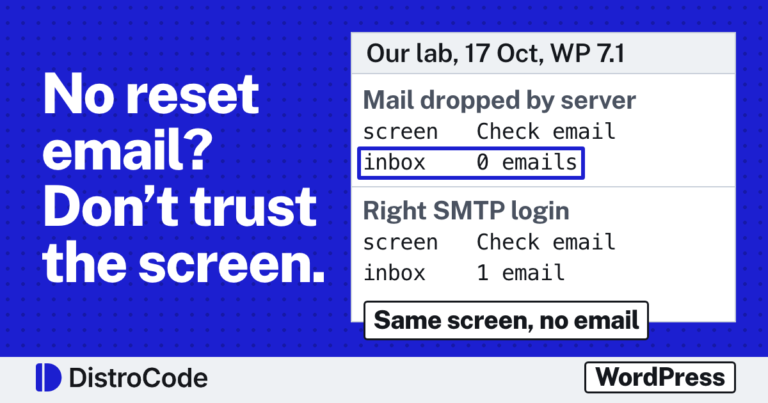
Not reliably. In our 15 Oct lab, wp_mail() returned false and logged “Could not instantiate mail function.” The lab ran on WordPress Playground, which has no mail service at all. A real host usually has one. There the call can return true, the message leaves the server, and the inbox still files it as spam. The whole wp_mail() test is in why a WordPress contact form is not sending email.
WooCommerce writes an order note when it hands off an email. That note proves the hand-off, not the delivery.
How do you stop WordPress emails going to spam?
Work in this order:
- Pick one From address on your own domain, such as orders@ or hello@, and create the mailbox so replies land somewhere.
- Send the site’s mail through an SMTP service or your email provider instead of the web server.
- Add that service to your SPF record and turn on its DKIM signing for your domain.
- Set every plugin that sends mail, WooCommerce and the form plugin included, to the same From address.
- Add a DMARC record at
p=nonewith a report address, then read the reports for a week or two.
An SMTP plugin is step 2, not the whole fix.
How do you check where your emails land?
Send a password reset, a form message and a test order to a Gmail address you own. Open the message in Gmail, click More (the three dots) next to Reply, choose Show original, and read the SPF, DKIM and DMARC lines at the top. All three should say PASS for every email type.
Repeat it after a host move or a new plugin, since both can change the route. If the site also sends crash warnings, the WordPress “technical issue” email explains that one.
What should you do right now?
Send yourself a password reset from your own site and read its headers. If SPF or DKIM does not say PASS, the sender is the problem, not the plugin.
Want us to look instead? Send the site address and one email that landed in spam. We do a free site check and reply within 2 business days with a written report on why it was filtered and the work to fix it. Send us the site and the email. A new site fix goes up each day on DistroCode’s LinkedIn Page.
Not sure what is wrong yet? Ask for the free site check: send the site address and we reply in writing within 2 business days. If you already know what to fix, the one-off fixes are listed here.
Where did these facts come from?
- DistroCode lab, WordPress contact form not sending email (wp_mail() on WordPress 7.1.3, default From address), checked Oct 15, 2026
- DistroCode lab, WooCommerce not sending order emails (From address and sender name on WooCommerce 11.2.1), checked Oct 13, 2026
- Google Workspace Admin Help, Email sender guidelines (SPF or DKIM for all senders; spam rate under 0.10%, never at 0.30%), checked Oct 17, 2026
- Google Workspace Admin Help, Email sender guidelines FAQ (5,000 messages a day to Gmail counts as bulk), checked Oct 16, 2026
- Yahoo Sender Hub, Sender best practices (spam rate under 0.3%), checked Oct 16, 2026
- Gmail Help, Trace an email with its full header (More, then Show original), checked Oct 17, 2026
- RFC 7208, Sender Policy Framework (the "~" qualifier is a softfail), checked Oct 17, 2026
- WordPress core, pluggable.php (wp_mail() default From address), checked Oct 17, 2026
Questions and answers
Why are my WordPress emails going to spam?
Usually because the receiving inbox cannot match the sender to the domain. WordPress sends as wordpress@ your domain from the web server by default, and Google says mail without SPF or DKIM might be marked as spam or rejected.
Does an SMTP plugin stop WordPress emails going to spam?
Only when the service it connects to is listed in your domain's SPF record and signs with DKIM for your domain. The plugin changes the route. The DNS records are what the inbox checks.
How do I test where my WordPress emails land?
Send a password reset to a Gmail address you own, open it, choose Show original, and read the SPF, DKIM and DMARC lines. Each should say PASS.
Rather hand this to us? See the WordPress maintenance plan Want to know if the problem stops here? Ask for the free site check.
We write up one real fix or build a few times a week on LinkedIn. Follow DistroCode there: linkedin.com/company/distrocode