WordPress stuck in maintenance mode? The file to delete, and why the 10 minute rule matters
In short
WordPress shows "Briefly unavailable for scheduled maintenance" while a .maintenance file sits in the root folder. Delete it, then rerun the update. In our 13 Oct 2026 lab WordPress ignored the file after 10 minutes, so a longer outage means something keeps refreshing it. $45 for one problem: cause in writing before anything changes, staging copy first.
Seeing this on your own site? Send us the address for a free site check, and a written report comes back within 2 business days.
Key points
- The message comes from one file, .maintenance, in the folder that holds wp-config.php.
- In our lab the front end, /wp-admin/, /wp-login.php and the REST API all returned 503. You cannot log in to fix it.
- WordPress ignores the file once its time stamp is 10 minutes old. Ours stayed on disk and the site came back anyway.
- If the message lasts longer than that, check the time inside the file before you delete it. Something may be rewriting it.
On this page (9)
- Why is WordPress stuck in maintenance mode?
- What is inside the .maintenance file?
- Briefly unavailable for scheduled maintenance. Check back in a minute: what it means
- Why should the message clear by itself after 10 minutes?
- What if it lasts longer than 10 minutes?
- How do you fix it safely?
- Deleted .maintenance and the message is still there?
- Down for maintenance, scheduled maintenance or stuck: which one is yours?
- Questions and answers
Why is WordPress stuck in maintenance mode?
WordPress gets stuck in maintenance mode when an update leaves a file called .maintenance behind. While that file is there, every visitor sees one line: “Briefly unavailable for scheduled maintenance. Check back in a minute.”
WordPress writes the file at the start of an update and deletes it at the end. If the update stops halfway, the delete never happens.
We tested what that file does on 13 Oct 2026, on a fresh WordPress 7.1.3 site with PHP 8.3.33. The surprise: WordPress stops honoring the file after 10 minutes.
A stuck update is a common way for a site to go down with nobody touching it, which is why update handling sits at the centre of our WordPress care plan.
What is inside the .maintenance file?
One line of PHP with a number in it:
<?php $upgrading = 1791899582; ?>That number is a Unix time stamp, the moment the update started. The file sits in the WordPress root folder, next to wp-config.php.
Briefly unavailable for scheduled maintenance. Check back in a minute: what it means
It means WordPress found a .maintenance file and stopped before loading your theme or plugins. That sentence is WordPress’s own text, printed by the core function wp_maintenance(), and the page around it is titled Maintenance. The only other look core allows is a maintenance.php file in wp-content, which replaces the plain page and shows only while .maintenance exists.
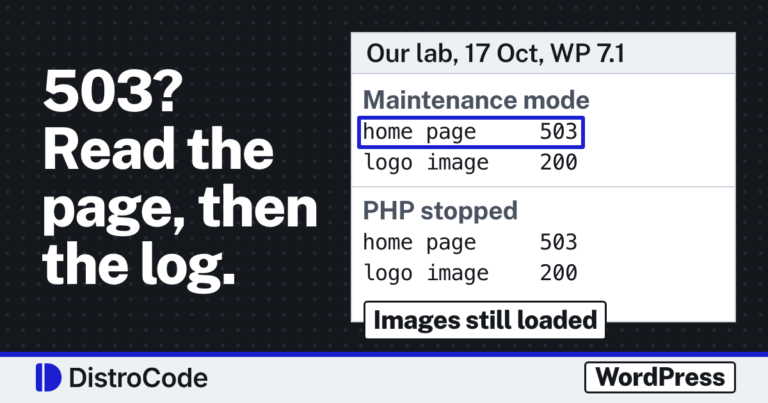
It blocks everything we tried. With the file in place, we requested four addresses: the home page, /wp-admin/, /wp-login.php and /wp-json/, the REST API.
All four returned status 503 and the same 2,500 byte page, titled Maintenance. The response also carried a Retry-After header of 600, which tells browsers and search crawlers to come back in 10 minutes.
So the owner is locked out with everyone else, because the login page is the maintenance page too. The fix has to happen in the files.
Why should the message clear by itself after 10 minutes?
Because WordPress checks the age of the time stamp, not just whether the file exists.
We backdated the file and requested the same four addresses each time:
| Age of the time stamp | Home page | /wp-admin/ | Login page | REST API |
|---|---|---|---|---|
| 0 seconds | 503 | 503 | 503 | 503 |
| 590 seconds | 503 | 503 | 503 | 503 |
| 610 seconds | 200 | 302 to login | 200 | 200 |
| 3,600 seconds | 200 | 302 to login | 200 | 200 |
At 610 seconds the file was still on disk, and the site loaded as if it were gone. The function wp_is_maintenance_mode() in wp-includes/load.php returns false once the time stamp is 10 minutes old.
So a file left behind by an update that died should stop blocking the site after 10 minutes on its own.
The best defence is to prepare before the update, and our WordPress update checklist of 7 checks covers that.
What if it lasts longer than 10 minutes?
Then the old file alone is not the cause. Either something keeps writing a fresh time into it, or the site is down for another reason that happens to look similar.
We did not test those cases, so these are checks, not findings:
- Open .maintenance and read the number. Convert it with any Unix time converter. If it is from the last few minutes, an update is still running or has started again.
- Ask who else can run updates. A host’s dashboard, a management tool or plugin auto-updates can all start one. Our post on finding out who turned on WordPress plugin auto-updates shows where that setting lives.
- Remember that background jobs wait for traffic. Auto-updates start from WP-Cron, and WP-Cron only runs when someone loads a page, so a job can start the moment your first visitor arrives.
- If the time stamp is old and the site is still down, look past the file. Check the host’s error log, and whether the 503 page actually says “Briefly unavailable for scheduled maintenance”.
How do you fix it safely?
- Wait until no update could still be running. If the time stamp is a few minutes old, give it a few more.
- Open your host’s file manager or connect by SFTP, and go to the folder that holds wp-config.php.
- Turn on hidden files. The name starts with a dot, so many tools hide it.
- Delete .maintenance. Load the home page to confirm it is back.
- Log in and open Dashboard, then Updates. Run the update that was interrupted again.
- Open Plugins and Themes and check that what was being updated is still listed and active.
Deleting the file ends the maintenance page. It doesn’t finish the update. We did not cut off a real update in our lab, so we can’t tell you exactly what state a half-done one leaves behind, which is why step 6 matters.
This is the failure our care plan is built to keep off a live site: we run updates on a staging copy first, and only send them to the live site once the copy works. What a plan like that costs a month, ours and four others, is in how much WordPress maintenance costs.
Deleted .maintenance and the message is still there?
Send us the page address, what it shows and when it started. We find the cause on a staging copy before we change anything.
One fix: $45 for 1 problem, done in 2 days, and if we start and cannot fix it, you do not pay for that job.
Prices in US dollars; you pay a Stripe invoice.
If you want to look yourself first, these are the four causes we know of. Only the 10 minute clock in the first one comes from our lab; the rest are checks we have not tested:
- An update wrote the file again. WordPress writes .maintenance when an update starts, so an update that runs again, from a host tool or a plugin auto-update, puts it straight back. Our lab showed the 10 minute limit counts from the time inside the file, so each fresh file starts the clock again. Reopen the file and compare its time stamp with the time you deleted it.
- A cache is serving the old page. A page cache or CDN can keep the saved maintenance page after the file is gone. Untested: purge the cache, then load the page in a private window.
- The page is not from WordPress. If the wording differs from the line above, or the page carries a logo or your theme’s look, a maintenance plugin or the host is serving it. Untested: check the plugin list over SFTP and the host’s dashboard.
- The update keeps failing. If the file returns every few minutes, an update is starting, failing and starting again. Untested: the host’s error log at those times may name the plugin or theme. Fix that first, then run the update by hand.
Down for maintenance, scheduled maintenance or stuck: which one is yours?
Read the exact words on the page first. WordPress core has one maintenance sentence, so anything else came from somewhere else.
| What you see | Where it comes from | What to do |
|---|---|---|
| “Briefly unavailable for scheduled maintenance. Check back in a minute.” for a few seconds | WordPress, while an update runs | Wait. WordPress deletes the file when the update ends, and in our lab it stopped honoring the file at 10 minutes |
| The same sentence for more than 10 minutes | A .maintenance file with a fresh time in it | The four causes above |
| “Down for maintenance” or a styled page with a logo | A maintenance plugin, the theme or the host, not WordPress core (untested) | Turn off the plugin’s maintenance setting, or ask the host |
| A maintenance notice your host sent you in advance | The host’s own scheduled work (untested) | Wait for the window the host gave, then check the site |
Not sure which one you have? Ask for the free site check: send the site address and we reply in writing within 2 business days. If you already know what to fix, the one-off fixes are listed here.
Where did these facts come from?
- DistroCode lab, 13 Oct 2026, WordPress 7.1.3, PHP 8.3.33 (a .maintenance file backdated to 0, 590, 610 and 3,600 seconds, four addresses requested at each age), checked Oct 13, 2026
- WordPress Developer Reference, wp_is_maintenance_mode(), checked Oct 13, 2026
- WordPress Developer Reference, WP_Upgrader::maintenance_mode(), checked Oct 13, 2026
- WordPress Developer Reference, wp_maintenance(), checked Oct 13, 2026
Questions and answers
Where is the .maintenance file?
In the WordPress root folder, the same folder as wp-config.php, wp-admin and wp-content. Its name starts with a dot, so many file managers and SFTP apps hide it until you turn on hidden files.
Is it safe to delete the .maintenance file?
Yes, once no update is running. The file holds one line with a time in it and nothing else. Deleting it only ends the maintenance page. It does not finish or undo the update, so run that update again afterwards.
Can I log in to wp-admin while WordPress is in maintenance mode?
No. In our WordPress 7.1.3 lab, /wp-admin/ and /wp-login.php returned the same 503 maintenance page as the home page. The fix has to happen in the files, through your host's file manager or SFTP.
How long does WordPress maintenance mode last?
Normally a few seconds, while an update runs. WordPress stops honoring the file 10 minutes after the time written in it, even if the file stays on disk. Our lab site came back at 610 seconds with the file still there.
Still stuck? Send us the page address and what you see Want to know if the problem stops here? Ask for the free site check.
We write up one real fix or build a few times a week. Follow DistroCode on LinkedIn