WooCommerce no payment methods available for some buyers? Check the rules
In short
WooCommerce shows "no payment methods available" to some buyers only? A method that is on is refusing their cart. In our 26 Oct 2026 lab, Cash on delivery tied to the US rate hid from a Toronto buyer. $45 for one store fault: cause in writing before anything changes, test orders on staging before and after.
Seeing this on your own site? Send us the address for a free site check, and a written report comes back within 2 business days.
Key points
- The settings screen can show a method as on while the checkout hides it, because each method checks the cart before it appears.
- Cash on delivery limited to one shipping rate hides from every buyer whose country gets a different rate. Our Toronto buyer saw no payment methods; Detroit paid.
- PayPal Standard switches itself off when the store currency is not on its list. With rand set, its settings page went blank and showed no warning.
- Any method can set a highest order total, and WooCommerce hides it from a bigger cart.
- Card gateways add their own country, currency and account limits, so test one order from each country you sell to.
On this page (8)
Some stores show “There are no payment methods available” to one buyer and a working checkout to the next. The owner tests from home, sees the payment form, and assumes the buyer did something wrong. Usually the buyer did nothing wrong: a method that is switched on has a rule that rules their cart out.
Why does WooCommerce say no payment methods available to some buyers?
Each method runs a check before it appears. A buyer’s shipping rate, cart total or your store currency can fail it, and the method drops out for that cart only. With nothing left, WooCommerce shows the red box.
If no method is switched on at all, or Cash on delivery refuses a cart of downloads, start with our checkout lab on payment methods that will not show. This post is about the rules that hide a method for some buyers only. Fixing faults like these is part of our WooCommerce store fixes.
How did we test it?
Our lab store ran for seven minutes on 26 Oct 2026 (12:51 to 12:58 PM ET): WooCommerce 11.2.1 on WordPress 7.1.3 and PHP 8.3.33, in WordPress Playground. It shipped one $18.00 mug to the United States and Canada.
Each country had its own zone, $5.00 flat rate for the US and $12.00 for Canada. A headless browser checked out as a guest from Detroit, then from Toronto, on the Checkout block.
Can a shipping rate hide a payment method?
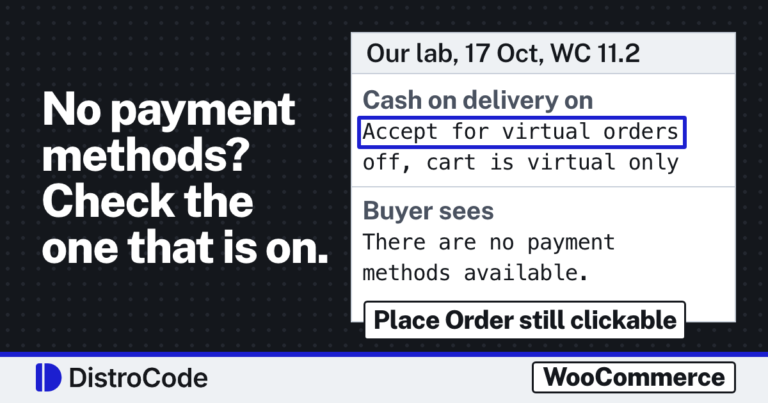
Yes, and it does it by country without saying so. Cash on delivery has a setting called “Enable for shipping methods”. The WooCommerce docs describe it as “Choose which shipping methods and rates will offer COD”.
We picked only the US flat rate there and left Cash on delivery as the one method on.
- The Detroit buyer saw Cash on delivery, clicked Place Order and got order #12 for $23.00.
- The Toronto buyer got the Canada flat rate and the red box: no payment methods available.
The Place Order button still worked, and clicking it gave the same “No payment method provided” error our earlier lab saw. No order.
The cause sits in class-wc-gateway-cod.php. When the cart needs shipping, the method compares the buyer’s chosen rate with the list in that setting, and returns false when it finds no match (lines 186 to 199 in 11.2.1). Adding the Canada flat rate to the list fixed it: the same Toronto buyer paid and got order #14 for $30.00.
The trap is that each zone’s rate is a separate entry. Add a new country and its rate, and Cash on delivery stays off for those buyers until someone ticks the new rate too.
Can the store currency hide a payment method?
It can. We switched Cash on delivery off and PayPal Standard on, the older PayPal method built into WooCommerce. With US dollars, the Detroit buyer saw “Pay via PayPal” and a Proceed to PayPal button.
Then we set the store currency to South African rand. The mug now cost R18.00, and PayPal was gone from the payment area, leaving the red box.
The saved setting still said PayPal was enabled. In 11.2.1 the gateway checks the store currency against its list in is_valid_for_use(), and if the currency is missing it sets itself to disabled (lines 199 to 200). This surprised us: on our store that also stopped WooCommerce loading PayPal Standard at all, so its settings page came up blank, with no “does not support your store currency” warning. Setting US dollars again brought PayPal back.
New stores rarely meet this one. WooCommerce’s docs say PayPal Standard has been hidden for new installations since version 5.5.0. Stores that have run it for years still do.
Card gateways have their own lists. Stripe’s docs say “Payment methods support certain currencies, countries, products, and API options”, and its table limits Klarna and Afterpay to certain currencies and countries. We did not test Stripe in this lab. Key, webhook and account faults are in our Stripe payment lab.
Can a cart total hide a payment method?
Yes. Every WooCommerce payment method inherits a check for a highest order total. In abstract-wc-payment-gateway.php, if the gateway sets a max_amount above zero and the order total is bigger, the method reports itself unavailable (lines 349 to 353).
The built in methods leave that at zero. A gateway plugin or a snippet can set it, so a large order loses its only method while small ones pay. Lowest totals, user roles and product categories come from plugins, not WooCommerce.
What else hides payment methods?
- Caching. WooCommerce tells you to exclude the Cart, Checkout and My Account pages from caching, because “these pages need to stay dynamic since they display information specific to the current customer and their cart”. We did not test a cached checkout.
- Plugin and theme conflicts. WooCommerce’s test is a default theme, then every plugin off except WooCommerce and the extension in question, then each plugin back on one at a time.
- Missing shipping. A buyer whose address gets no rate at all hits a different message first, as in WooCommerce “No shipping options were found”.
This is the fix we do: a test order from each country and currency you sell in, the rule that drops the method traced, and the change made on a staging copy before your live store.
What should you check first?
Ask the buyer two things: their country and what was in the cart. Then read the limits on every method you have switched on (shipping methods, countries, currencies, order totals) and run one test order per country you ship to.
Losing buyers from one country at checkout? Send us the buyer’s country and what the checkout said, and we will name the rule that hides the method. We place test orders from the buyer’s country and currency on a staging copy, change the rule that hides the method, and repeat them after the fix. In our 26 Oct 2026 lab, the Toronto buyer who saw this message placed order #14 for $30.00 once the Canada rate was added. One fix: $45 for 1 problem, done in 2 days, and if we start and cannot fix it, you do not pay for that job. Prices in US dollars; you pay a Stripe invoice.
Want a written report before any work? Ask for our free WordPress site check and get a written report on the cause within 2 business days.
Where did these facts come from?
- DistroCode lab, WooCommerce 11.2.1 on WordPress 7.1.3, PHP 8.3.33 (26 Oct 2026, 12:51 to 12:58 PM ET), Cash on delivery limited by shipping rate, PayPal Standard under USD and ZAR, checked Oct 26, 2026
- WooCommerce docs, Cash on Delivery (Enable for shipping methods, Accept for virtual orders), checked Oct 26, 2026
- WooCommerce source, class-wc-gateway-cod.php (is_available checks the chosen shipping rate against enable_for_methods), checked Oct 26, 2026
- WooCommerce source, class-wc-gateway-paypal.php (is_valid_for_use currency list; gateway set to disabled when the currency is not on it), checked Oct 26, 2026
- WooCommerce source, abstract-wc-payment-gateway.php (is_available hides a gateway when the order total is over its max_amount), checked Oct 26, 2026
- WooCommerce docs, PayPal Standard (hidden for new installations since WooCommerce 5.5.0), checked Oct 26, 2026
- Stripe docs, Payment method support (country and currency support; troubleshooting a missing payment method), checked Oct 26, 2026
- WooCommerce developer docs, How to configure caching plugins for WooCommerce (exclude Cart, My Account and Checkout), checked Oct 26, 2026
- WooCommerce docs, How to test for plugin and theme conflicts, checked Oct 26, 2026
Questions and answers
Why does WooCommerce say no payment methods available when Cash on delivery is on?
Cash on delivery can be limited to some shipping methods under "Enable for shipping methods". If the buyer's address gets a rate that is not on that list, WooCommerce 11.2.1 hides the method. In our lab a Canadian buyer on the Canada flat rate saw no payment methods until we added that rate.
Why did PayPal disappear from my WooCommerce checkout after I changed currency?
PayPal Standard checks the store currency against a fixed list and switches itself off when the currency is missing. In our lab, South African rand removed it from the checkout and left its settings page blank. Setting US dollars again brought it back.
Can a caching plugin cause "no payment methods available"?
We did not test caching in this lab. WooCommerce's own guide says to exclude the Cart, Checkout and My Account pages from caching, because they show details for the current buyer and cart.
How do I find which plugin is hiding a payment method?
WooCommerce's conflict test is to switch to a default theme, then deactivate every plugin except WooCommerce and the extension in question, and turn them back on one at a time, testing after each one.
Still stuck? Send us the page address and what you see Want to know if the problem stops here? Ask for the free site check.
We write up one real fix or build a few times a week. Follow DistroCode on LinkedIn